
Description
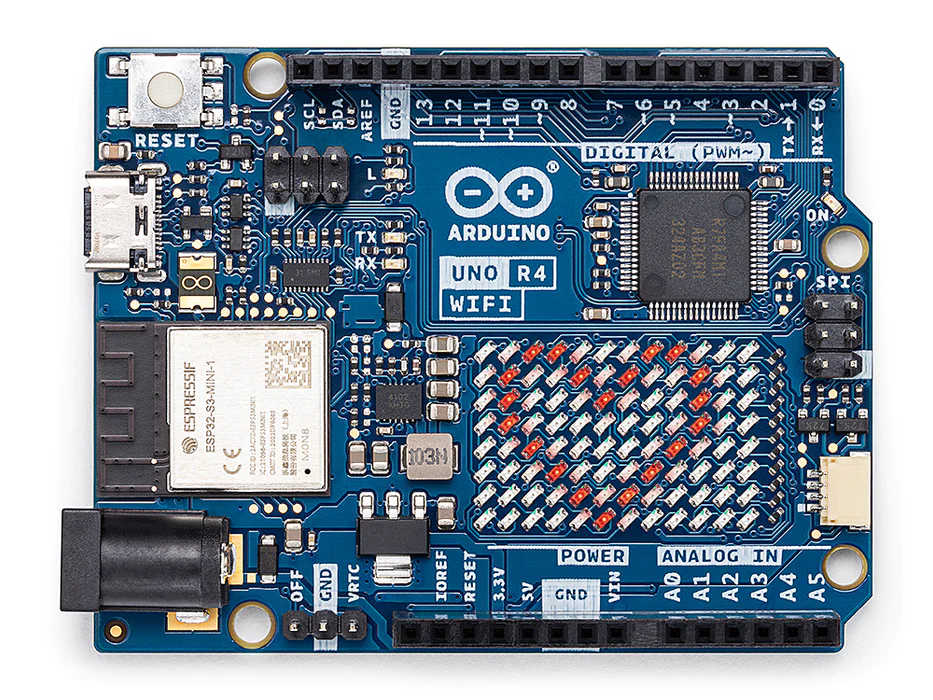
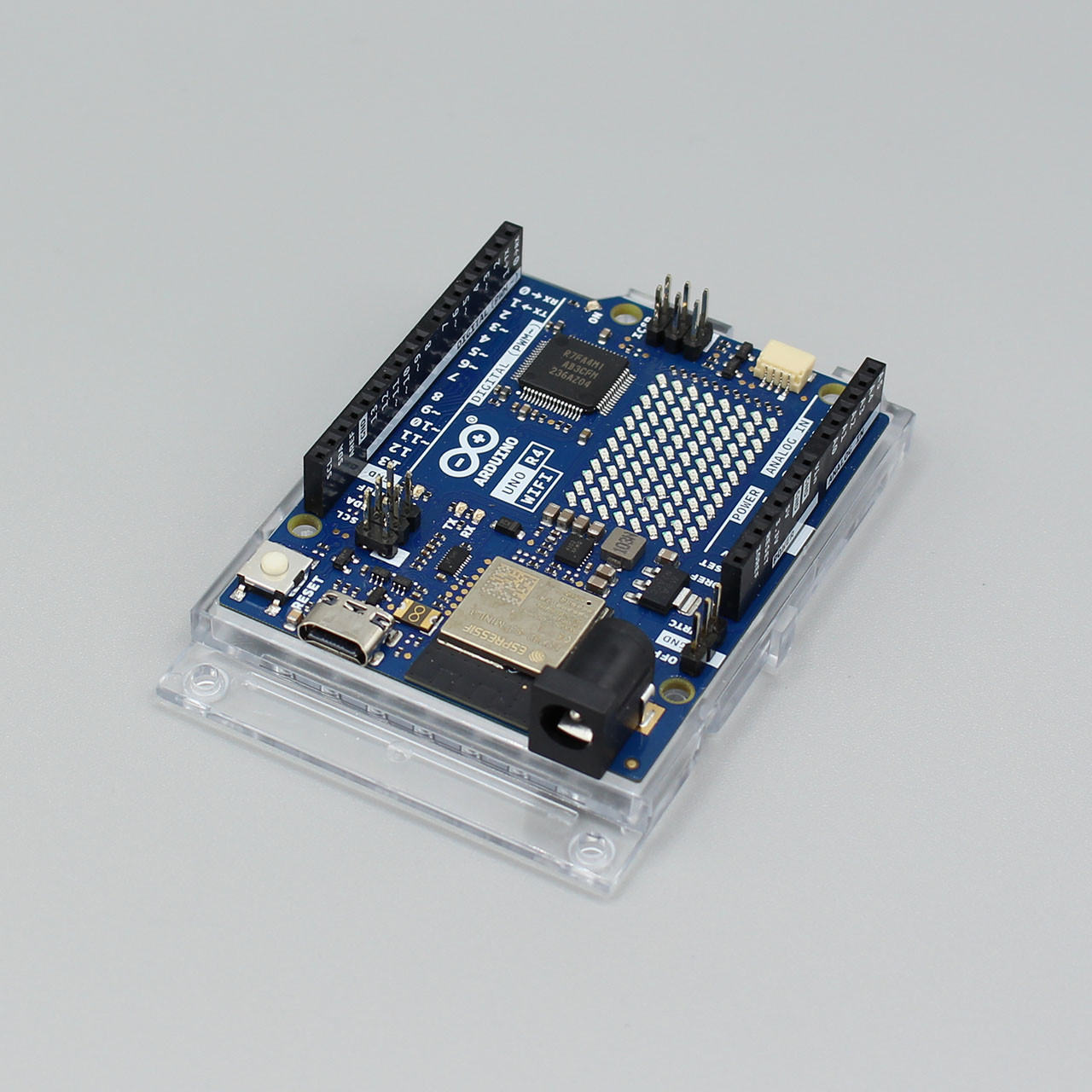
The Arduino UNO R4 WiFi marks a huge leap forward for the Arduino ecosystem. Faranux Electronics is proud to offer this powerhouse board to makers in Rwanda. It merges the simplicity of the classic UNO R3 with the advanced capabilities of modern 32-bit architecture. If you want to build Internet of Things (IoT) projects without messy wiring or external shields, the Arduino UNO R4 WiFi is the all-in-one solution you have been waiting for.
Dual-Chip Architecture
What makes the Arduino UNO R4 WiFi unique is its “dual-brain” design.
- The Main Brain: A Renesas RA4M1 32-bit Arm Cortex-M4 processor runs your main code. It is 3x faster than the old UNO and has 16x more memory, allowing for complex calculations and smoother multitasking.
- The Connectivity Brain: A separate ESP32-S3 module handles all Wi-Fi and Bluetooth Low Energy (BLE) tasks. This ensures your main program never lags while sending data to the cloud.
Arduino UNO R4 WiFi Innovative On-Board Features
The Arduino UNO R4 WiFi is packed with new tools that usually require extra hardware:
- LED Matrix: A bright 12×8 grid of red LEDs is built right into the board. You can use it to display animations, scrolling text, or sensor data immediately—no external screen required!
- Qwiic/STEMMA QT Connector: A dedicated I2C port allows you to plug in compatible sensors instantly without soldering or using a breadboard.
- Human Interface Device (HID): When plugged into a computer via USB-C, the board can act as a keyboard or mouse, perfect for creating custom controllers.
With the UNO R4 WiFi, you can easily upgrade your project and add wireless connectivity to expand the reach of your current setup. If this is your first project, this board has everything you need to spark your creativity.
Core Hardware and Performance
- UNO Form Factor Compatibility: The UNO R4 WiFi maintains the same form factor, pinout, and 5 V operating voltage as the UNO R3, ensuring a seamless transition for existing shields and projects.
- Expanded Memory and Speed: It boasts increased memory and a faster clock speed, enabling more precise calculations and effortless handling of complex projects.
- Extended 24 V Tolerance: The board supports a wider input voltage range, allowing seamless integration with motors and LED strips using a single power source.
Advanced Onboard Peripherals
- Extra Onboard Peripherals: It introduces a range of built-in components, including a 12-bit DAC, CAN BUS, and OP AMP, providing expanded design flexibility.
- LED Matrix: The board incorporates a bright 12×8 red LED matrix, ideal for animations or plotting sensor data without needing additional hardware.
- HID Support: With built-in HID support, the UNO R4 WiFi can simulate a mouse or keyboard when connected to a computer via USB.
Connectivity and Ecosystem
- Wi-Fi® and Bluetooth®: Hosted by an ESP32-S3 module, this allows makers to add wireless connectivity and use the Arduino IoT Cloud for remote monitoring.
- QWIIC Connector: It features a Qwiic I2C connector for “plug-and-play” connection to the extensive QWIIC ecosystem of sensors and actuators.
Power Management and Reliability
- Battery-Powered RTC Support: Includes an “OFF” pin to turn off the board and a “VRTC” pin to keep the internal Real-Time Clock running on battery power.
- Runtime Diagnostics: An error-catching mechanism detects runtime crashes and provides detailed hints about which code line caused the failure.
Techinical Specifications
| Microcontroller | Renesas RA4M1 (Arm® Cortex®-M4 with Floating Point Unit) |
|
| Wireless connectivity | ESP32-S3 | |
| USB | USB-C® | Programming Port / HID |
| Pins | Digital I/O Pins | 14 |
| Analog input pins | 6 | |
| DAC | 1 | |
| PWM pins | 6 | |
| Communication | UART | 1 |
| I2C | 2 (SDA, SCL / A4, A5 and QWIIC conn) | |
| SPI | 1 | |
| CAN | 1 (requires an external transceiver) |
|
| Misc | VRTC & OFF pin | |
| Power | Circuit operating voltage | 5 V (ESP32-S3 is 3.3 V) |
| Input voltage (VIN) | 6-24 V | |
| DC Current per I/O Pin | 8 mA | |
| Clock speed | RA4M1 | 48 MHz |
| ESP32-S3 | up to 240 MHz | |
| Memory | RA4M1 | 256 kB Flash, 32 kB RAM |
| ESP32-S3 | 384 kB ROM, 512 kB SRAM | |
| Dimensions | Width | 68.85 mm |
| Length | 53.34 mm | |
Codes
Real Digital Time Clock Display on LED Matrix
Building a clock with just a microcontroller board. As all needed components like RTC and LED matrix are already built in.
#include "RTC.h"
#include "Arduino_LED_Matrix.h"
ArduinoLEDMatrix matrix;

byte Time[8][12] = {
  { 0, 0, 0, 0, 0, 0, 0, 0, 0, 0, 0, 0 },
  { 0, 0, 0, 0, 0, 0, 0, 0, 0, 0, 0, 0 },
  { 0, 0, 0, 0, 0, 0, 0, 0, 0, 0, 0, 0 },
  { 0, 0, 0, 0, 0, 0, 0, 0, 0, 0, 0, 0 },
  { 0, 0, 0, 0, 0, 0, 0, 0, 0, 0, 0, 0 },
  { 0, 0, 0, 0, 0, 0, 0, 0, 0, 0, 0, 0 },
  { 0, 0, 0, 0, 0, 0, 0, 0, 0, 0, 0, 0 },
  { 0, 0, 0, 0, 0, 0, 0, 0, 0, 0, 0, 0}
};

byte  Digits  [5][30]{
{ 1, 1, 1, 0, 0, 1, 1, 1, 1, 1, 1, 1, 1, 0, 1, 1, 1, 1, 1, 1, 1, 1, 1, 1, 1, 1, 1, 1, 1, 1 },
{ 1, 0, 1, 0, 0, 1, 0, 0, 1, 0, 0, 1, 1, 0, 1, 1, 0, 0, 1, 0, 0, 0, 0, 1, 1, 0, 1, 1, 0, 1 },
{ 1, 0, 1, 0, 0, 1, 1, 1, 1, 1, 1, 1, 1, 1, 1, 1, 1, 1, 1, 1, 1, 0, 0, 1, 1, 1, 1, 1, 1, 1 },
{ 1, 0, 1, 0, 0, 1, 1, 0, 0, 0, 0, 1, 0, 0, 1, 0, 0, 1, 1, 0, 1, 0, 0, 1, 1, 0, 1, 0, 0, 1 },
{ 1, 1, 1, 0, 0, 1, 1, 1, 1, 1, 1, 1, 0, 0, 1, 1, 1, 1, 1, 1, 1, 0, 0, 1, 1, 1, 1, 1, 1, 1 },
};


int currentSecond;
boolean secondsON_OFF = 1;
int hours, minutes, seconds, year, dayofMon;
String dayofWeek, month;

void displayDigit(int d, int s_x, int s_y){
  for (int i=0;i<3;i++)
    for (int j=0;j<5;j++)
      Time[i+s_x][11-j-s_y] = Digits[j][i+d*3];

  matrix.renderBitmap(Time, 8, 12);
}


DayOfWeek convertDOW(String dow){
  if (dow == String("Mon")) return DayOfWeek::MONDAY;
  if (dow == String("Tue")) return DayOfWeek::TUESDAY;
  if (dow == String("Wed")) return DayOfWeek::WEDNESDAY;
  if (dow == String("Thu")) return DayOfWeek::THURSDAY;
  if (dow == String("Fri")) return DayOfWeek::FRIDAY;
  if (dow == String("Sat")) return DayOfWeek::SATURDAY;
  if (dow == String("Sun")) return DayOfWeek::SUNDAY;
}

Month convertMonth(String m){
 if (m == String("Jan")) return Month::JANUARY;
  if (m == String("Feb")) return Month::FEBRUARY;
  if (m == String("Mar")) return Month::MARCH;
  if (m == String("Apr")) return Month::APRIL;
  if (m == String("May")) return Month::MAY;
  if (m == String("Jun")) return Month::JUNE;
  if (m == String("Jul")) return Month::JULY;
  if (m == String("Aug")) return Month::AUGUST;
  if (m == String("Sep")) return Month::SEPTEMBER;
  if (m == String("Oct")) return Month::OCTOBER;
  if (m == String("Nov")) return Month::NOVEMBER;
  if (m == String("Dec")) return Month::DECEMBER;
}

void getCurTime(String timeSTR,String* d_w,int* d_mn, String* mn,int* h,int* m,int* s,int* y){

  *d_w = timeSTR.substring(0,3);
  *mn = timeSTR.substring(4,7);
  *d_mn = timeSTR.substring(8,11).toInt();
  *h = timeSTR.substring(11,13).toInt();
  *m = timeSTR.substring(14,16).toInt();
  *s = timeSTR.substring(17,19).toInt();
  *y = timeSTR.substring(20,24).toInt();

}


void setup() {
  Serial.begin(9600);
  matrix.begin();
  RTC.begin();
  String timeStamp = __TIMESTAMP__;
  getCurTime(timeStamp,&dayofWeek,&dayofMon,&month,&hours,&minutes,&seconds,&year);
  RTCTime startTime(dayofMon, convertMonth(month) , year, hours, minutes, seconds,
                    convertDOW(dayofWeek), SaveLight::SAVING_TIME_ACTIVE);
  RTC.setTime(startTime);
}

void loop(){
  RTCTime currentTime;
  RTC.getTime(currentTime);
  if (currentTime.getSeconds()!=currentSecond){
    secondsON_OFF ?  secondsON_OFF = 0 : secondsON_OFF = 1;
    displayDigit((int)(currentTime.getHour()/10),0,0 );
    displayDigit(currentTime.getHour()%10,4,0 );
    displayDigit((int)(currentTime.getMinutes()/10),1,6 );
    displayDigit(currentTime.getMinutes()%10,5,6 );
    Time[0][2]=secondsON_OFF;
    Time[0][4]=secondsON_OFF;
    currentSecond=currentTime.getSeconds();
    matrix.renderBitmap(Time, 8, 12);
    Serial.println(secondsON_OFF);
  }
}
Resources
Upgrade Your Workbench
From home automation to robotics, the Arduino UNO R4 WiFi handles it all. Order yours from Faranux Electronics today and experience the future of the UNO.
Package includes:
UNO WIFI R4 and USB Cable
Ishimwe William –
powerful board