Description
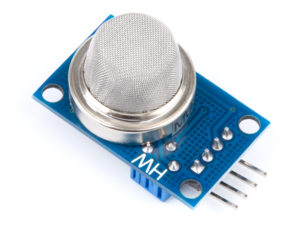
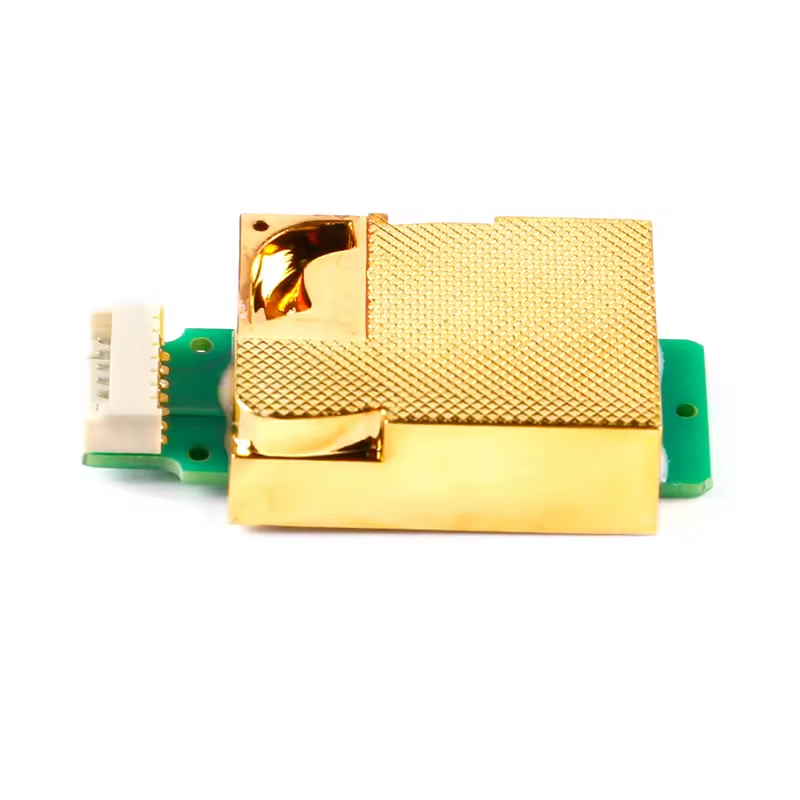
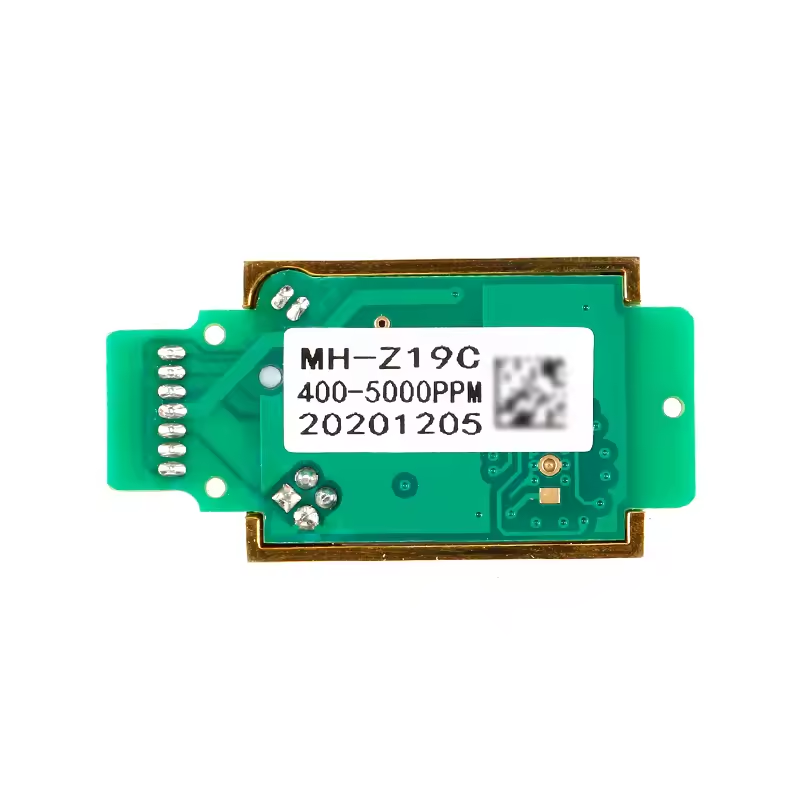
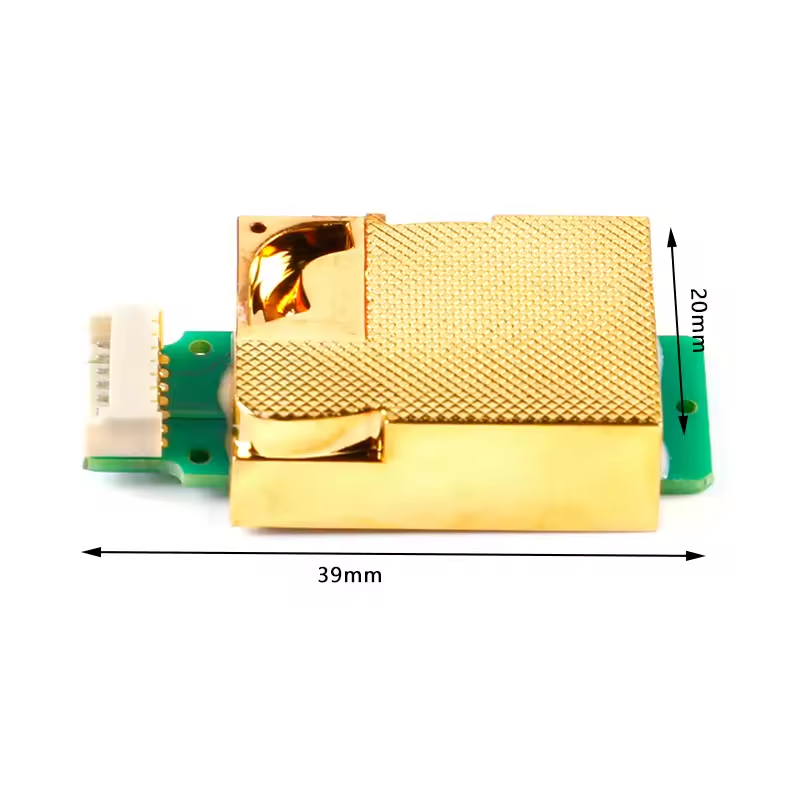
The MH-Z19C CO2 sensor is a type of non-dispersive infrared (NDIR) carbon dioxide (CO2) sensor. These sensors are designed to measure the concentration of CO2 in the air. The “MH” stands for “Winsen MH Series,” which is a product line of gas sensors manufactured by Winsen Electronics.
The MH-Z19C CO2 sensor, in particular, is commonly used in applications where monitoring and controlling CO2 levels are important, such as in indoor air quality monitoring systems, ventilation control, and other environmental monitoring applications.
Features
- High sensitivity, High resolution, Low power consumption
- Output method: UART, PWM wave
- Quick response, Good stability
- Temperature compensation,
- Excellent linear output
- Long lifespan
- Anti-water vapor interference
Specification:
- The measurement range is 2000 parts per million (PPM)
- Resolution of 1 PPM 0-2000 parts per million (PPM)
- Accuracy of 200 PPM
- A warm – Operating time 3 minutes
- Response time <90s
- Operating temperature: 0. 50 ° C
- Operating humidity 0% ~ 90% RH
- Storage temperature: -20 to 60 ° C
- Operating voltage: 4.5 V to 6 V DC
Pin Definition
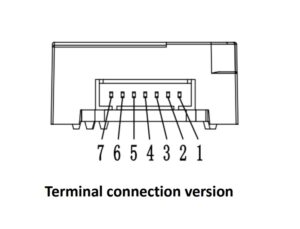
| Pin | Terminal pin Definition |
| Pin 1 (BROWN) | HD |
| Pin 2 (WHITE) | Analog Output Vo |
| Pin 3 (BLACK) | Negative Pole(GND) |
| Pin 4 (RED) | Positive Pole(Vin) |
| Pin 5 (BLUE) | UART(RXD)TTL Level data input |
| Pin 6 (GREEN) | UART(TXD)TTL Level data output |
| Pin 7 (YELLOW | PWM |
MH-Z19C CO2 sensor interfacing with Arduino
Required Hardware
- Arduino Uno
- MH-Z19C CO2 sensor
- Jumper wires
- Breadboard
Required Software
- MHZ19 Library by Jonathan Dempsey
We will first connect the TX pin of the MH-Z19B with RX pin D3 of the Arduino. Connect the RX pin of the MH-Z19B with the TX pin D2 of the Arduino. Connect the VCC of the MHZ-19B with 5V of the Arduino. Connect the ground of the MH-Z19B with the ground of the Arduino.
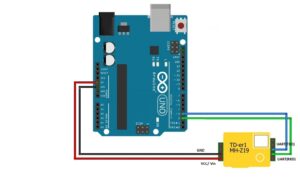
Uploading Arduino Codes
#include <Arduino.h>
#include "MHZ19.h"
#include <SoftwareSerial.h>                                // Remove if using HardwareSerial

#define RX_PIN 2                                           // Rx pin which the MHZ19 Tx pin [GREEN] is attached to
#define TX_PIN 3                                           // Tx pin which the MHZ19 Rx pin [BLUE] is attached to
#define BAUDRATE 9600                                      // Device to MH-Z19 Serial baudrate (should not be changed)

MHZ19 myMHZ19;                                             // Constructor for library
SoftwareSerial mySerial(RX_PIN, TX_PIN);                   // (Uno example) create device to MH-Z19 serial

unsigned long getDataTimer = 0;

void setup()
{
    Serial.begin(9600);                                     // Device to serial monitor feedback
    mySerial.begin(BAUDRATE);                               // (Uno example) device to MH-Z19 serial start
    myMHZ19.begin(mySerial);                                // *Serial(Stream) refence must be passed to library begin().
    myMHZ19.autoCalibration();                              // Turn auto calibration ON (OFF autoCalibration(false))
}

void loop()
{
    if (millis() - getDataTimer >= 2000)
    {
        int CO2;
        /* note: getCO2() default is command "CO2 Unlimited". This returns the correct CO2 reading even
        if below background CO2 levels or above range (useful to validate sensor). You can use the
        usual documented command with getCO2(false) */
        CO2 = myMHZ19.getCO2();                             // Request CO2 (as ppm)

        Serial.print("CO2 (ppm): ");
        Serial.println(CO2);
        int8_t Temp;

        Temp = myMHZ19.getTemperature();                     // Request Temperature (as Celsius)
        Serial.print("Temperature (C): ");
        Serial.println(Temp);
        getDataTimer = millis();
    }
}
After uploading the code, the carbon dioxide concentration and temperature will be displayed on the Arduino Serial Monitor.
Application
- HVAC refrigeration.
- Smart home
- Air cleaner device
- Ventilation system
- Indoor air quality monitoring
- School
Resources
Package Includes:
only MH-Z19C CO2 sensor